Motion · 7 min read
Mastering Video Editing for the Web
Video inside a web page is edited for silence and loops, encoded to start instantly and delivered lazily. The six project reels on this site run about 14 seconds each, encoded as H.264 at 1200 pixels wide and 25 fps, between 706 KB and 1.1 MB, with WebP posters and no autoplay for visitors who prefer reduced motion.
Edit for silent, looping playback
Video embedded in a page usually plays muted, starts without a click and loops, so the edit has to work with no sound, make sense within its first second and survive the jump from the last frame back to the first. That is a different brief from a film or a social cut.
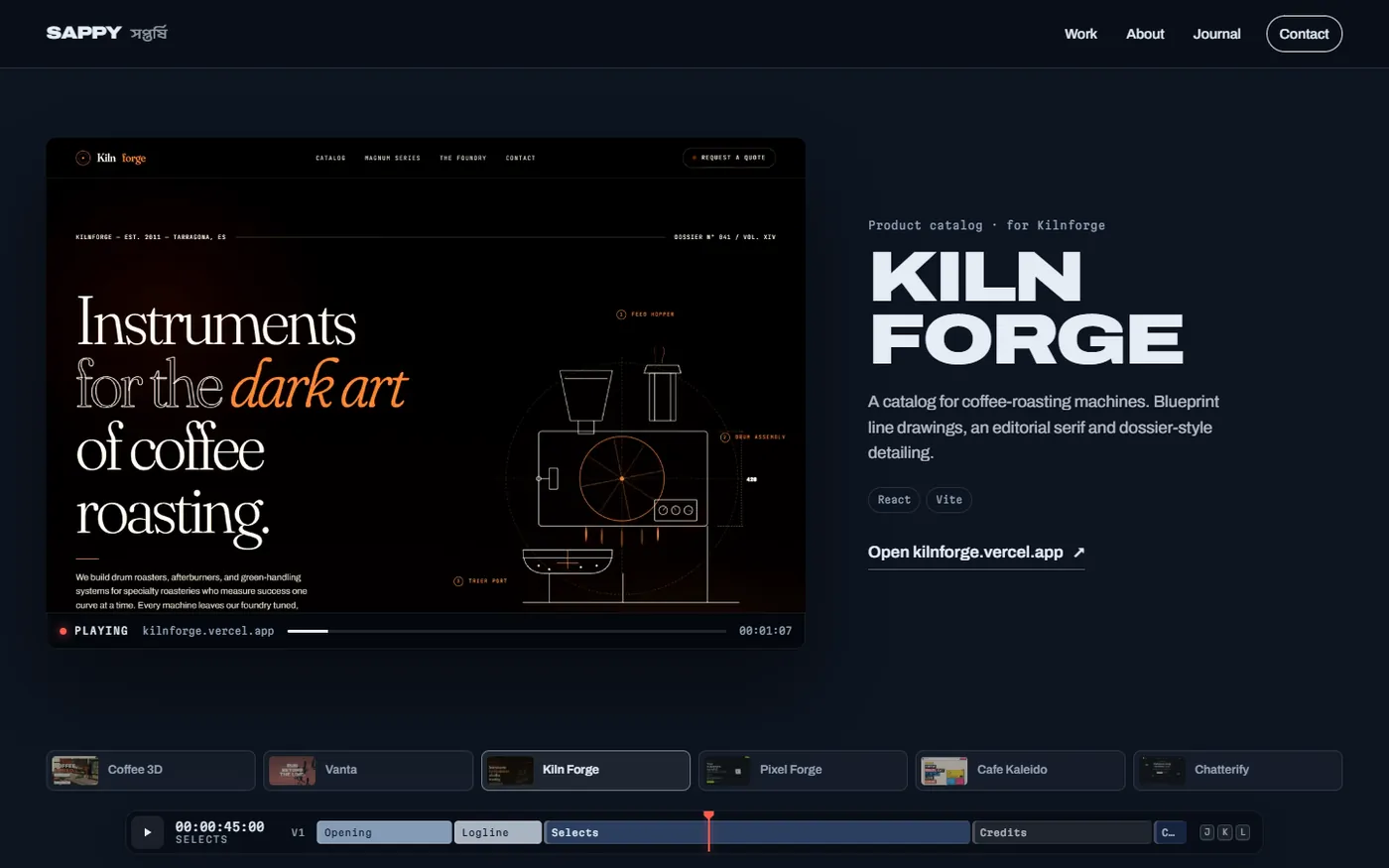
The reels on this site are recordings of live websites, and each follows the same structure. It holds on the project's hero for about 2.2 seconds, so the first frame works as a poster and identifies the project before anything moves. Then it scrolls at a steady 430 pixels per second for 11 seconds — slow enough to read headings, fast enough to pass through several sections. When the reel loops, the cut back to the hero reads as a return to the top rather than a glitch.
- The first frame is the poster. It has to identify the subject on its own.
- Steady motion. One speed and one direction; no whip pans or speed ramps.
- A clean loop point. End on a frame that cuts naturally back to the start.
- Nothing lives in the audio. If it matters, it has to be on screen.
Between projects, the pinned monitor uses hard cuts rather than dissolves, and each reel restarts from its first frame on every cut, the way a new shot starts in an edit. You can watch it on the home page or in the work archive.
Choose resolution and frame rate for the job
Pick the resolution from how large the video is drawn and the frame rate from the motion it carries.
The reels are captured at 1440 × 900 and encoded at 1200 × 750. On desktop the pinned monitor takes roughly 60 percent of the content width, so 1200 pixels covers it at normal density. Capturing at 1440 pixels keeps each site in its desktop layout; a Lanczos downscale keeps text crisp. The frame rate is 25 fps — the rate of PAL, the broadcast standard in India and most of Europe, and the rate the site's own timeline counts in. A steady scroll looks smooth at 25 fps, and fewer frames mean a smaller file at the same quality.
| Setting | Value | Why |
|---|---|---|
| Capture size | 1440 × 900 at 1× | A common laptop viewport, so each site lays out as visitors see it |
| Encoded size | 1200 × 750 | Covers the monitor on desktop without upscaling |
| Frame rate | 25 fps | Smooth for a steady scroll; matches the site's timeline |
H.264 settings that matter
H.264 in an MP4 container plays in every current browser, which makes it the safe default for silent web video. The settings below trade a little encoding time for small files that start quickly. This loop produced every reel on this site:
for s in pixelforge coffee3d vanta kilnforge cafekaleido chatterify; do
  ffmpeg -y -loglevel error -f concat -safe 0 -i $s/concat.txt \
    -vf "fps=25,scale=1200:-2:flags=lanczos,format=yuv420p" \
    -c:v libx264 -preset slow -crf 31 -g 50 -profile:v high \
    -movflags +faststart -an $s/reel.mp4
done| Option | What it does | Why it is here |
|---|---|---|
fps=25 | Resamples to a constant 25 frames per second | Screen captures arrive at a variable rate |
scale=1200:-2:flags=lanczos | Resizes to 1200 px wide with the Lanczos filter; -2 keeps the height even | Crisp interface text; 4:2:0 video needs even dimensions |
format=yuv420p | Converts to 4:2:0 chroma subsampling | The pixel format every browser's H.264 decoder supports |
-preset slow | Spends more time searching for efficient encodings | Smaller files at the same quality |
-crf 31 | Sets a constant quality target | Higher numbers give smaller files |
-g 50 | Allows at most 50 frames between keyframes | Two-second groups for quick seeks and clean loops |
-profile:v high | Uses the H.264 High profile | Better compression, supported by current browsers |
-movflags +faststart | Moves the file's index to the front | Playback can start before the download finishes |
-an | Writes no audio stream | The video plays muted anyway |
Three terms are worth defining. CRF (constant rate factor) is x264's quality-based rate control: on its 0–51 scale, lower means better quality and bigger files, the default is 23, and the FFmpeg H.264 guide notes that raising it by about 6 roughly halves the file size. A GOP (group of pictures) is the run of frames between keyframes; shorter groups make seeking and looping more responsive at a small cost in size. Faststart moves the MP4's index, the moov atom, to the start of the file, so a browser can begin playing while the rest downloads.
CRF 31 is well above the default. Flat interface footage drawn at this size compresses well, the headings stayed readable in the monitor, and every reel landed near 1 MB:
| Reel | Video (H.264) | Poster (WebP, 1200 × 750) |
|---|---|---|
| Coffee 3D | 1,016 KB | 57 KB |
| Vanta | 1,110 KB | 34 KB |
| Kiln Forge | 998 KB | 37 KB |
| Pixel Forge | 839 KB | 33 KB |
| Cafe Kaleido | 866 KB | 36 KB |
| Chatterify | 706 KB | 25 KB |
Recording a live website as video
The reels are recordings of the real, deployed sites, not mock-ups. Headless Chrome loads each site at 1440 × 900, and the Chrome DevTools Protocol method Page.startScreencast streams the browser's frames as JPEG images, each with a timestamp, while the page scrolls.
Two choices keep the recordings honest. The browser runs on the real GPU through ANGLE's Direct3D 11 backend, so Three.js scenes render on graphics hardware rather than in software. And the page scrolls with real mouse-wheel events instead of window.scrollTo, so each site's own smooth scrolling and scroll-linked animation behave exactly as they do for visitors.
const W = 1440, H = 900;
const HOLD_MS = 2200;      // linger on the hero
const SCROLL_MS = 11000;   // then scroll for this long
const SPEED = 430;         // px per second
// …
cdp.on('Page.screencastFrame', async (f) => {
  const n = frames.length;
  const file = path.join(dir, 'frames', `f${String(n).padStart(5, '0')}.jpg`);
  fs.writeFileSync(file, Buffer.from(f.data, 'base64'));
  frames.push({ file, t: f.metadata.timestamp });
  try { await cdp.send('Page.screencastFrameAck', { sessionId: f.sessionId }); } catch {}
});
await cdp.send('Page.startScreencast', { format: 'jpeg', quality: 88, maxWidth: W, maxHeight: H, everyNthFrame: 1 });
// …
await sleep(HOLD_MS);
const t0 = Date.now();
while (Date.now() - t0 < SCROLL_MS) {
  await page.mouse.wheel({ deltaY: SPEED / 30 });
  await sleep(1000 / 30);
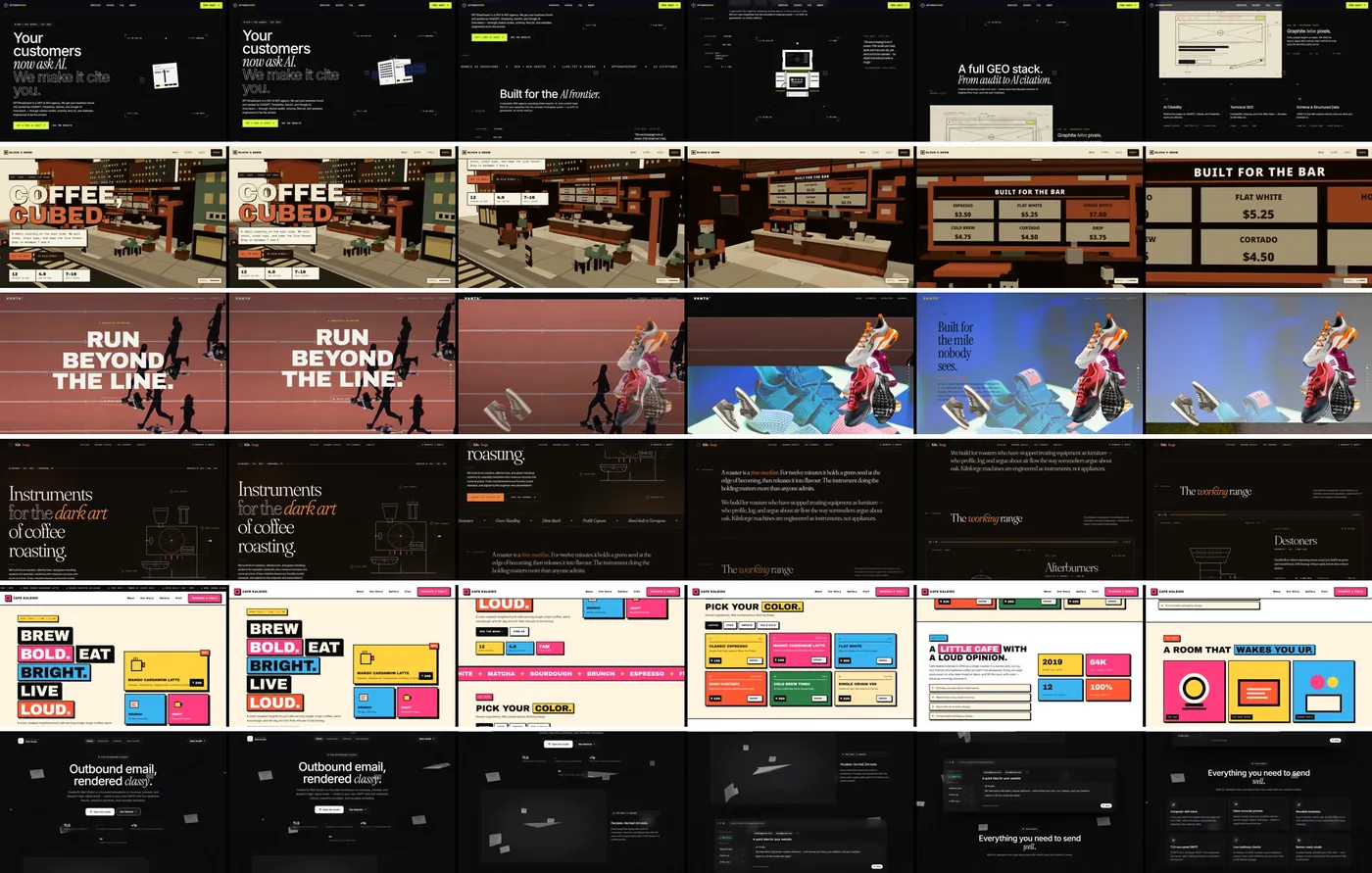
}Chrome only sends a frame when the picture changes, so the timing is irregular. Across the six sites the recordings captured between 630 and 1,091 frames over about 13.8 seconds — roughly 45 to 80 frames per second, varying from moment to moment.
From variable frames to a constant 25 fps
Irregular frames need retiming before they become a video. The FFmpeg concat demuxer can play a list of still images as a video when each entry carries its own duration. Writing the real gap between consecutive timestamps keeps the motion true to the recording, and the fps=25 filter then resamples it to a constant rate by repeating or dropping frames.
// ffmpeg concat list with real frame durations
const lines = [];
for (let i = 0; i < frames.length; i++) {
  const dur = i < frames.length - 1 ? Math.max(0.001, frames[i + 1].t - frames[i].t) : 0.04;
  lines.push(`file '${frames[i].file.replace(/\\/g, '/')}'`, `duration ${dur.toFixed(4)}`);
}
lines.push(`file '${frames[frames.length - 1].file.replace(/\\/g, '/')}'`);
fs.writeFileSync(path.join(dir, 'concat.txt'), lines.join('\n'));Two details matter. The last frame is listed a second time without a duration, a documented quirk of the concat demuxer when it reads image sequences — FFmpeg's slideshow notes describe it. And the durations come from Chrome's own frame timestamps rather than the script's clock, so time spent writing files to disk never stretches the result.
Deliver video lazily
A page with six videos should download almost none of them up front. On this site the recordings use preload="none", their posters load only when they are near the screen, and only the shot that is visible plays.
useEffect(() => {
  const v = videoRef.current;
  if (!v || live) return;
  const reduced = window.matchMedia('(prefers-reduced-motion: reduce)').matches;
  if (active && !reduced) {
    v.preload = 'auto';
    const p = v.play();
    if (p && p.catch) p.catch(() => setPlaying(false));
  } else {
    v.pause();
    if (!active) {
      try {
        v.currentTime = 0;
      } catch {
        /* not loaded yet */
      }
    }
  }
}, [active, live]);
// …
<video
  ref={videoRef}
  src={`/work/${project.slug}.mp4`}
  poster={near || active ? `/work/${project.slug}.webp` : undefined}
  muted
  loop
  playsInline
  preload={priority ? 'metadata' : 'none'}
  aria-label={`Screen recording of ${project.title}`}
/>- `muted` and `playsInline`. Browsers let muted video start without a click, and Safari on iPhone needs
playsinlineto play it inside the page instead of full screen. The MDN autoplay guide covers the rules. - Playback in code, not the `autoplay` attribute. The monitor calls
play()only for the active shot and pauses the rest, so six videos never play at once. - Restart on every cut. A shot that leaves the screen is paused and rewound to its first frame.
- Posters near the viewport only. In the pinned monitor only the active shot and its neighbours get a poster; on phones an IntersectionObserver with a 150% margin loads them about a screen and a half ahead.
- Respect reduced motion. With
prefers-reduced-motion: reduce, nothing autoplays, and the play button in the monitor bar still works.
Deferring the posters and right-sizing the hero image together took the images on a first desktop visit from 773 KB to 360 KB.
A checklist for web video
This applies to any silent video on a website, from product loops to showreel excerpts:
- Edit for no sound. The first frame identifies the subject, motion is steady and the loop point cuts cleanly.
- Size to the display. Encode at the largest size the video is drawn, at the frame rate its motion needs.
- Encode for the web. H.264 in MP4,
yuv420p,+faststart, no audio track and a CRF chosen by eye. - Record honestly. Real pages, real scrolling and a real GPU, then retime to a constant frame rate.
- Deliver lazily.
preload="none", posters near the viewport, play only what is visible, and respect reduced motion.
For editing and motion work, see video editing. The reels play in the work archive, and The Future of Web Development with Next.js covers the rest of this site's performance budget.